Choosing a Location for a Photocopy and Print Shop: Public Service Offices, Campuses, Power Supply and Other Must-Checks
A photocopy and print shop lives on people sorting out paperwork, finishing assignments or needing something printed fast. Learn how to read nearby demand sources, choose the right spot, check the power supply and work out the minimum daily transactions.
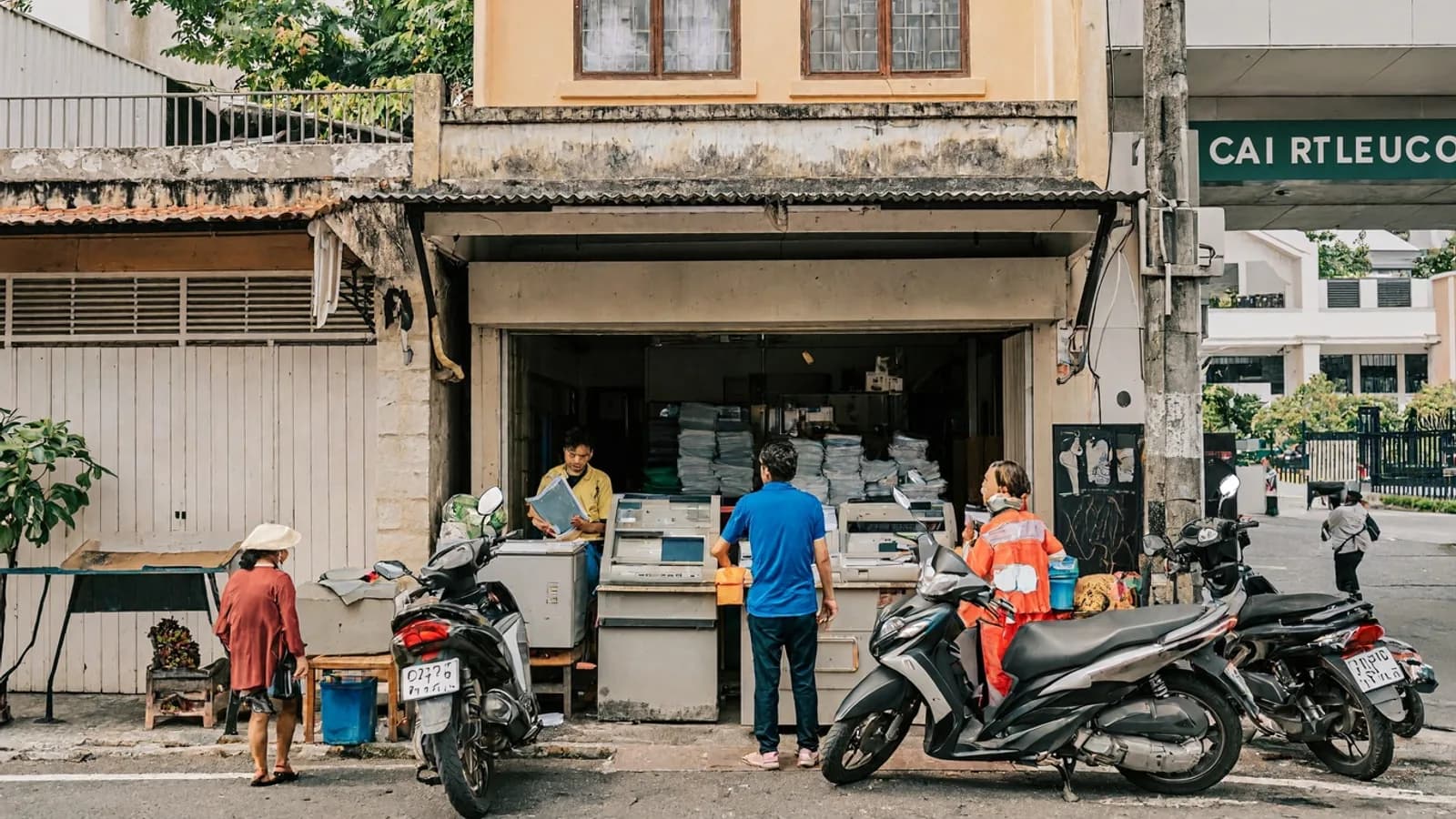
A photocopy and print shop looks simple: rent a kiosk, buy machines and wait for customers. In reality, many copy kiosks stay quiet even on busy roads, while a tiny kiosk opposite the village office has a queue every morning. The difference is not how busy the road is but why people need a copy right now. This guide helps you read the demand around a potential site, choose the right position, check the building and power supply, and work out whether the location can cover your monthly costs.
Who Actually Buys Photocopies and Prints?
People rarely buy photocopies on impulse. They come because they are dealing with something: administrative paperwork, school assignments, a thesis, office documents or an urgent print job. So your first step is to map the demand sources within walking distance or a few minutes by motorbike from the site.
Demand source | Typical busy times | Typical jobs | Risks to check |
|---|---|---|---|
Public service offices (kelurahan, kecamatan, civil registry, vehicle registration, religious affairs office, courts, tax office) | Weekday mornings to midday | Copies of ID cards, family cards, certificates, legalisation, document folders | Services are going digital; offices may move to a public service mall |
Campuses | Start of semester, exam periods, thesis season | Assignment prints, binding, thesis printing, posters | Quiet during semester breaks; competitors tend to cluster |
Schools | New student enrolment, exams, start of the school year | Exam papers, enrolment documents, passport photos | Highly seasonal; long school holidays |
Nearby offices and small businesses | Weekdays, often last-minute | Document printing, flyers, business cards, stamps | Orders can move to online printers |
Dense residential areas | Afternoons, evenings, weekends | Children's homework prints, laminating, scanning, passport photos | Small transactions; volume is essential |
The best sites usually have two or more demand sources with different busy hours. A kiosk near a district office that is also surrounded by housing, for example, serves people sorting paperwork in the morning and schoolchildren and residents in the afternoon.
Position Relative to Office and Campus Gates
Photocopy customers are often in a hurry. Someone turned away at a service counter for missing one copy of their family card will not cross a wide road or walk 500 metres. They will go into the nearest kiosk they can see from the gate.
What to observe
Side of the road: aim for the same side as the office or campus gate, especially if the road is wide or has a median.
Walking distance: the closer to the pedestrian gate, the better. Check which gate people actually use; campuses often have a main gate busy with cars and a side gate busy with students.
Visible from the counter or queue: if people waiting can see your kiosk, they know where to go when a document is missing.
Students' route home: a kiosk on the way to boarding houses or a bus stop is often busier than one right at the main gate.
Check whether the office still needs photocopies
Many public services now accept digital documents or pull data straight from their systems. Do not assume every office still asks for photocopies. Ask staff, or people waiting in line, which documents are still required as copies. Ask nearby business owners too whether the office is due to move or merge into a public service mall. An office that relocates can take away the main source of customers for the kiosk opposite it.
Busy Seasons and Quiet Seasons
Copy shops are strongly shaped by the calendar. Near schools, new enrolment periods can bring long queues, followed by quiet holidays. Near campuses, thesis and graduation season brings binding and bulk printing orders, but semester breaks can last for weeks. Near service offices, demand can jump during particular programmes, such as job selection registrations or mass document renewals.
When estimating revenue, do not use your busiest month as the benchmark. Make estimates for busy, normal and quiet months, and make sure even the quiet months cover your fixed costs. Ask nearby kiosk owners which months are slowest, and check the academic calendar of the nearest campus or school.
Building, Power and Humidity
Copiers, laser printers, laminators and air conditioning draw a lot of power, especially when running at the same time. Paper and toner are also sensitive to damp. Before signing, check the following:
Installed power capacity: read the capacity on the meter, then add up the needs of the machines you plan to use (check the label or ask the seller). If it falls short, ask the owner whether you may upgrade and who pays.
Voltage stability: ask neighbours how often the power cuts out or fluctuates. Copiers are easily damaged by unstable voltage, so budget for a stabiliser if needed.
Roof and walls: look for signs of leaks. Damp paper jams machines.
Number and position of sockets: avoid dangerous stacked adapters.
Work space: make sure there is room for machines, a cutting and binding table and paper stock without blocking customers.
Parking and Ease of Stopping
Most copy transactions take a few minutes. Customers want to stop, hand over their documents and leave. Make sure there is room for several motorbikes in front of the kiosk and no ban on stopping outside the building. For bigger jobs such as thesis binding or flyer printing, customers may come twice (to order and to collect), so easy access often decides whether they come back to you or go to a competitor.
Reading Nearby Competitors
Copy kiosks tend to cluster around campuses and service offices. A cluster can signal strong demand, but it also means price wars. Run a simple survey:
Count the copy kiosks within walking distance of the main demand source.
Note per-page prices, colour printing, binding and laminating by posing as a customer.
Watch the queues at peak times: if competitors have long queues, there is room for a newcomer.
Look for service gaps: does anyone open late, accept files via messaging apps, offer good-quality colour printing or fast binding?
If every competitor is empty at times that should be busy, demand has probably fallen or moved elsewhere. You are better off looking for another site than fighting over a shrinking market.
Work Out Your Minimum Daily Transactions
Before signing a lease, calculate how many transactions you need to cover fixed costs. The table below is an illustration only; replace every figure with the rent, electricity rates and wages that apply at your site.
Monthly cost item | Example figure (illustration) |
|---|---|
Kiosk rent | Rp3,000,000 |
Electricity | Rp1,500,000 |
Wages for 1 employee | Rp2,500,000 |
Machine instalments or rental and servicing | Rp1,000,000 |
Other (internet, cleaning, local fees) | Rp500,000 |
Total fixed costs | Rp8,500,000 |
Suppose, based on competitors and your own estimates, that an average transaction leaves a gross margin of about Rp7,000 after paper and toner (an example figure). You would then need roughly Rp8,500,000 ÷ Rp7,000 ≈ 1,215 transactions a month. Open 26 days a month and that is about 47 transactions a day just to break even.
Compare this with your field survey. If at peak times you see the nearest competitor serving, say, 15 to 20 customers an hour and then going quiet, estimate what share you could realistically win. If that falls well below 47 transactions a day in a quiet month, the site is too heavy for the costs you are planning.
Field Survey Steps
Map demand sources within walking distance: service offices, campuses, schools, offices and housing. Start with a digital map and BPS data.
Visit on a weekday morning for service-office traffic, at midday for campus or school activity, and in the afternoon or evening for residents.
Ask staff or people in the queue which documents still have to be photocopied.
Survey competitors' prices and queues at peak times.
Check the power capacity, roof condition, sockets and work space at the kiosk.
Ask nearby business owners about quiet months, power cuts and planned changes in the area.
Calculate your minimum daily transactions and compare them with your survey estimate.
Field Checklist for a Photocopy and Print Shop
At least two demand sources with different busy hours.
The kiosk is on the same side of the road as the office or campus gate.
The kiosk is visible from the gate, counter or main pedestrian route.
The nearest service office still requires photocopies and has no known plans to move.
Quiet months (school or semester holidays) are accounted for.
Power capacity covers all machines, or can be upgraded at a clear cost.
Voltage is reasonably stable, according to neighbours.
No leaks in the roof or walls.
Motorbike parking available and no ban on stopping.
Competitors' prices and queues recorded.
A service gap you can fill.
The minimum daily transactions look realistic against your survey results.
Conclusion
A good site for a photocopy and print shop is not simply a busy road; it is a place where people suddenly need a copy, a print or binding, and yours is the nearest kiosk they can see. Start by mapping demand sources, confirm that nearby offices or campuses still generate printing needs, check the power and building, then calculate your minimum transactions for a quiet month. Take the checklist above on your survey, visit at several different times, and sign a lease only once the field numbers back it up.